Extensions: Magic Bytes & File Format Discrepancies
“This is a really weird text file. Can you find the flag?”
picoCTF{...}Forensic Principle: Magic Bytes vs File Extensions
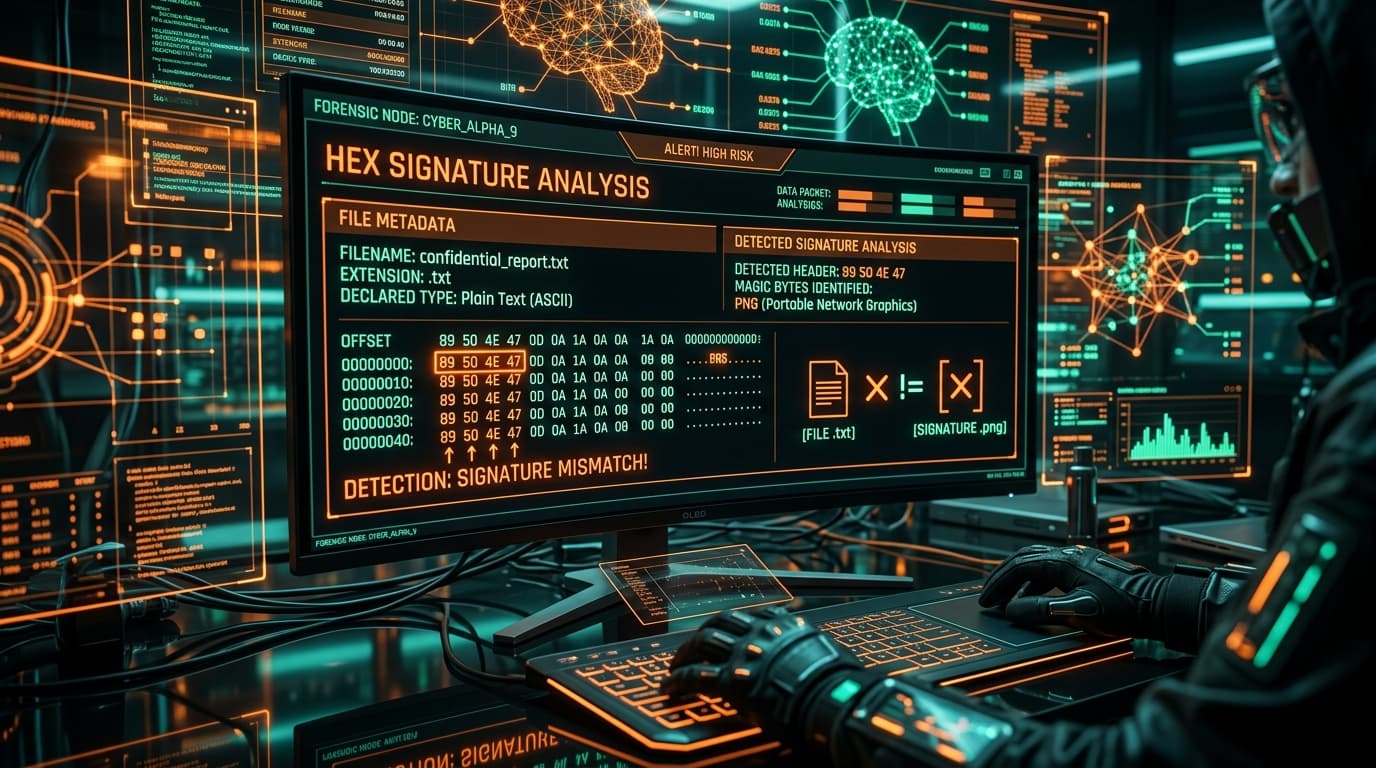
Operating system shells often rely on file extensions to associate default handler applications, but the true file format is determined by its header signature (magic bytes). If a PNG file is renamed with a .txt extension, text editors fail or display binary noise, while inspecting the initial 8 bytes immediately exposes the standard PNG magic signature: 89 50 4E 47 0D 0A 1A 0A.
1. Inspecting File Signature (Magic Bytes)
$ Format-Hex -Path .\flag.txt -Count 16

           00 01 02 03 04 05 06 07 08 09 0A 0B 0C 0D 0E 0F
00000000 89 50 4E 47 0D 0A 1A 0A 00 00 00 0D 49 48 44 52 .PNG........IHDRCopy-Item flag.txt flag.png; Start-Process flag.png2. Automated Signature Verification (`solve.py`)
# Verify magic bytes and rename file programmatically
with open('flag.txt', 'rb') as f:
    header = f.read(8)

# Check for PNG File Signature (89 50 4E 47 0D 0A 1A 0A)
if header == b'\x89PNG\r\n\x1a\n':
    print("[+] Valid PNG Signature detected! Renaming flag.txt -> flag.png")
    with open('flag.png', 'wb') as out_f:
        with open('flag.txt', 'rb') as in_f:
            out_f.write(in_f.read())
print("[+] File successfully recovered as flag.png!")python -c "import shutil; shutil.copy('flag.txt', 'flag.png'); print('Saved as flag.png')"3. Rendered Image Flag
Extracted Secret Flag:
4. The Complete Investigation Path & Mental Roadmap
Opened flag.txt in a text editor and found non-printable binary characters, indicating a file type mismatch.
Inspected the first 8 bytes and matched 89 50 4E 47 0D 0A 1A 0A to the official Portable Network Graphics (PNG) standard.
Renamed file to flag.png and opened it to read the rendered flag text: picoCTF{now_you_know_about_extensions}.