Shark on Wire 2: Network Steganography & UDP Port Carving

“We found this packet capture. Recover the flag that was pilfered from the network.”
picoCTF{...}Protocol Forensics: UDP Source Port Covert Channel
When network payloads are monitored or normalized, covert channels can encode exfiltration data directly into protocol header fields. In this capture, the sender dispatches UDP datagrams to port 22, but modulates the 16-bit UDP source port field using an arithmetic offset: source_port = 5000 + ASCII_byte. The transmission is bounded by delimiter packets with port 5000 representing start and end sentinels.
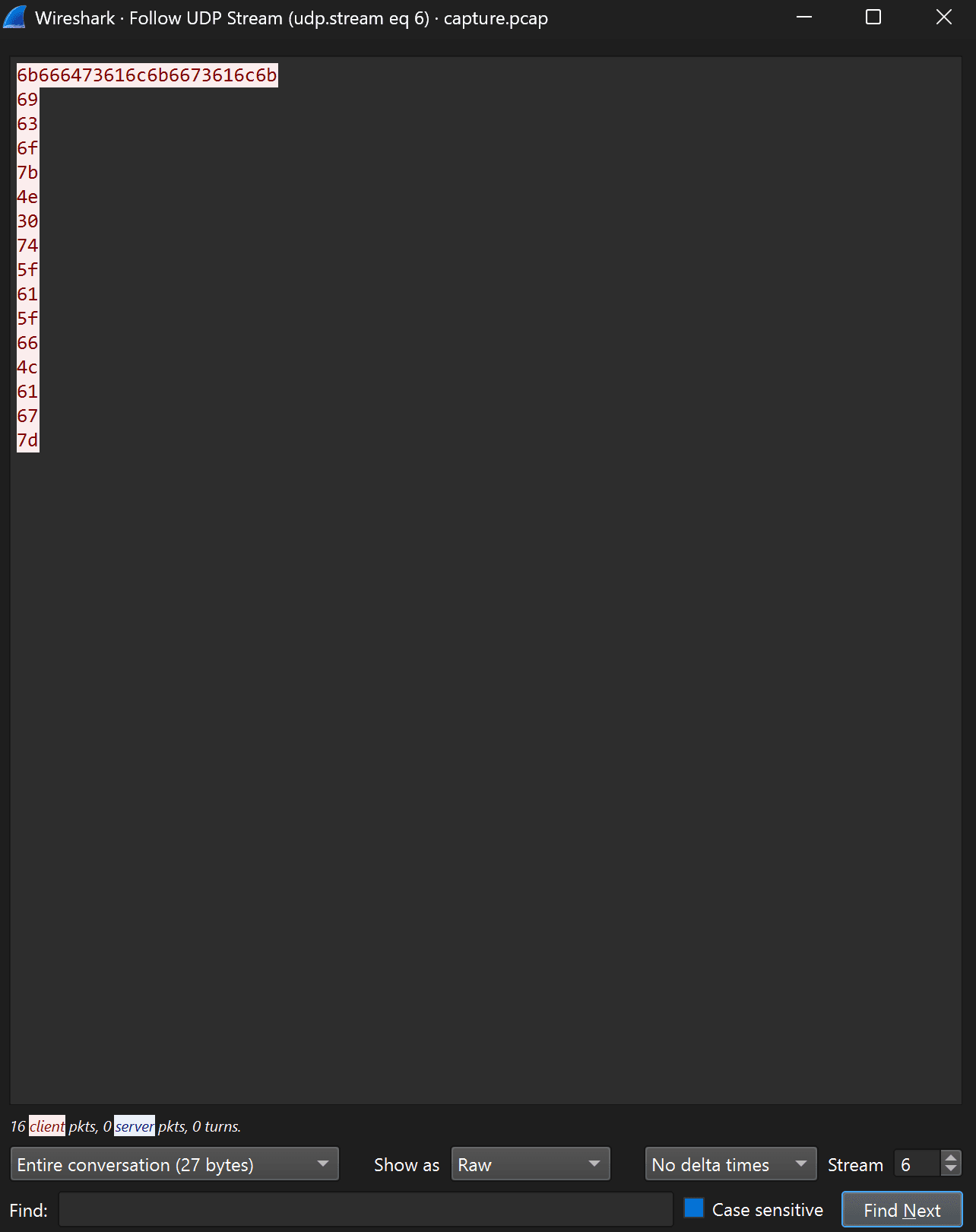
1. Beware of the Decoy Troll Flags (Stream 6)
When you first open capture.pcap in Wireshark and begin inspecting UDP streams, the challenge author planted an intentional trap to deceive automated regex flag scrapers:
In Wireshark, right-clicking any UDP packet and selecting Follow -> UDP Stream on Stream 6 displays what looks like a flag at first glance:
If you look closely, the prefix is missing the “p” and literally spells “N0t_a_fLag”. Stop right there: this is a troll decoy. The real flag is hidden elsewhere.
2. The Discovery: Transmission Sentinels (Stream 32 & Stream 60)
When scanning through the capture's UDP conversations with Show text as: ASCII, two specific streams immediately catch our attention:
- Stream 32: Transmits a single 5-byte payload:
start - Stream 60: Transmits a single 3-byte payload:
end
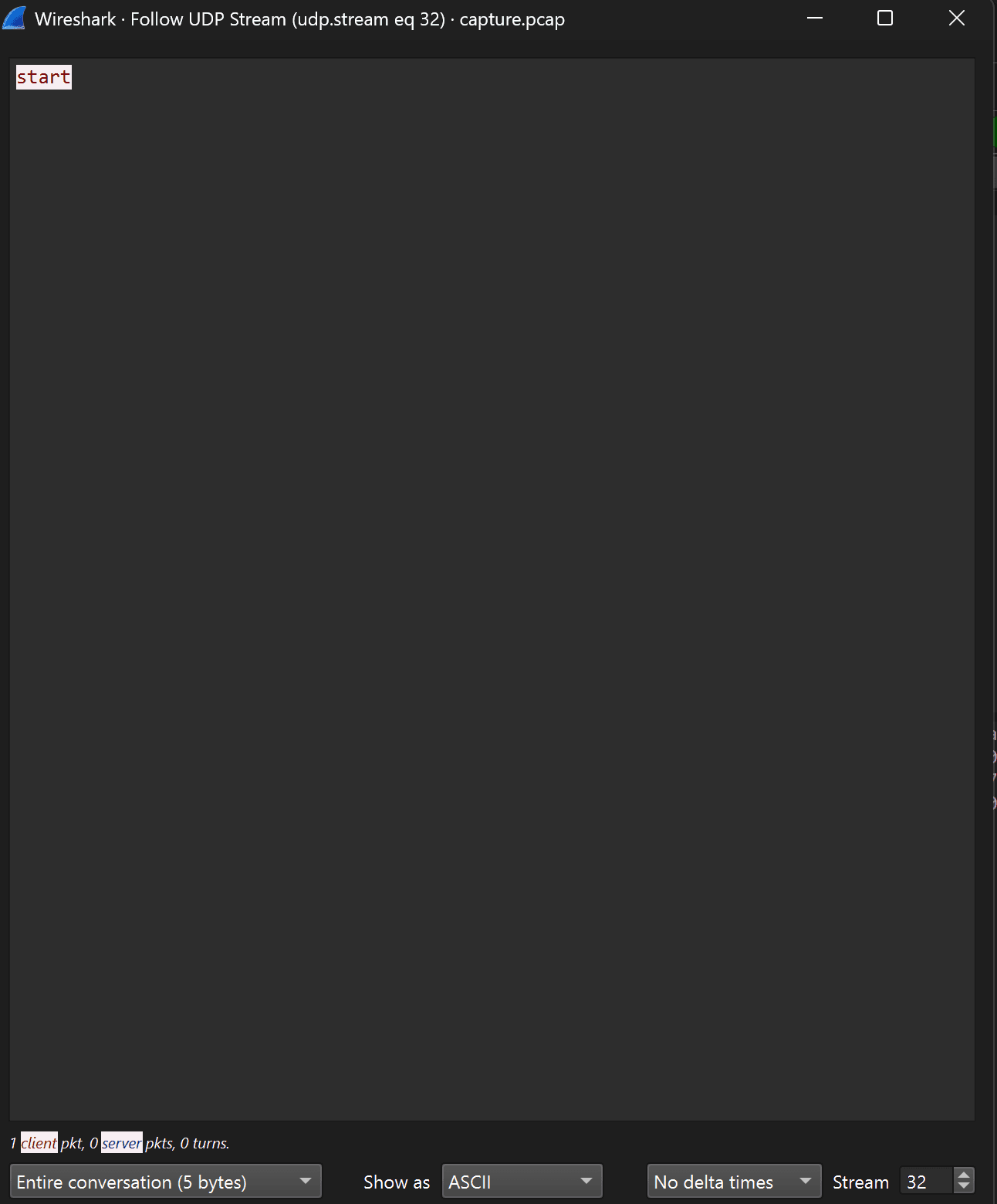
Stream 32 marks the exact beginning of the secret exfiltration channel.
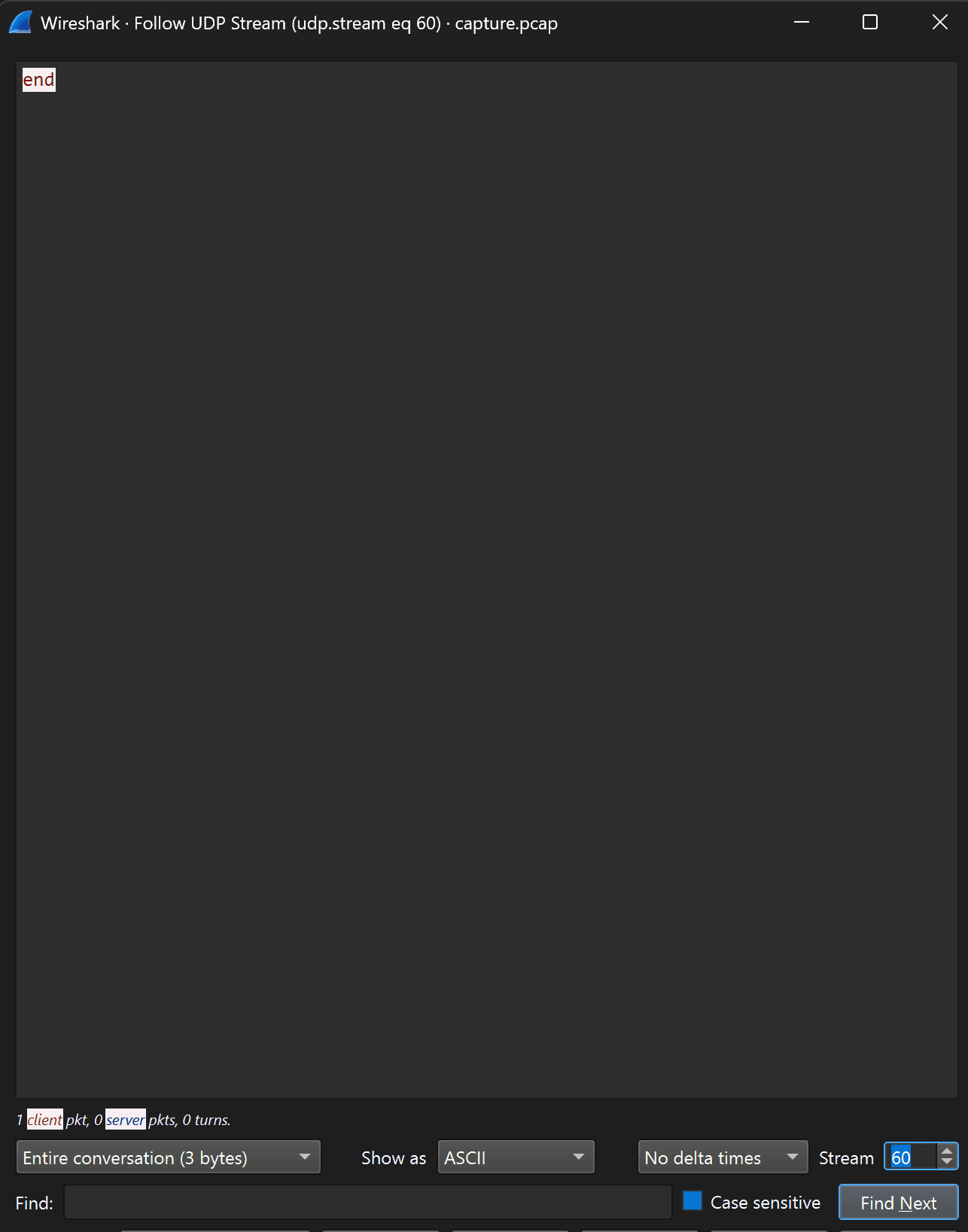
Stream 60 signals that the entire exfiltrated payload has completed transmission.
Forensic Principle: In covert network communications, attackers use sentinel tokens (like “start” and “end”) to synchronize the receiver so it knows exactly when to begin and stop capturing the leaked data.
3. Cracking the Covert Channel (Anomalous UDP to Port 22)
Now comes the crucial question: What happened between Stream 32 and Stream 60?
Inspecting the destination port of both sentinels shows they are targeting port 22:
In standard networking, port 22 is SSH (Secure Shell), which runs exclusively over TCP. Seeing UDP packets hitting port 22 is a glaring red flag that traffic is abusing the port as a covert channel!
Applying the filter udp.dstport == 22 displays a sequence of 35 packets:
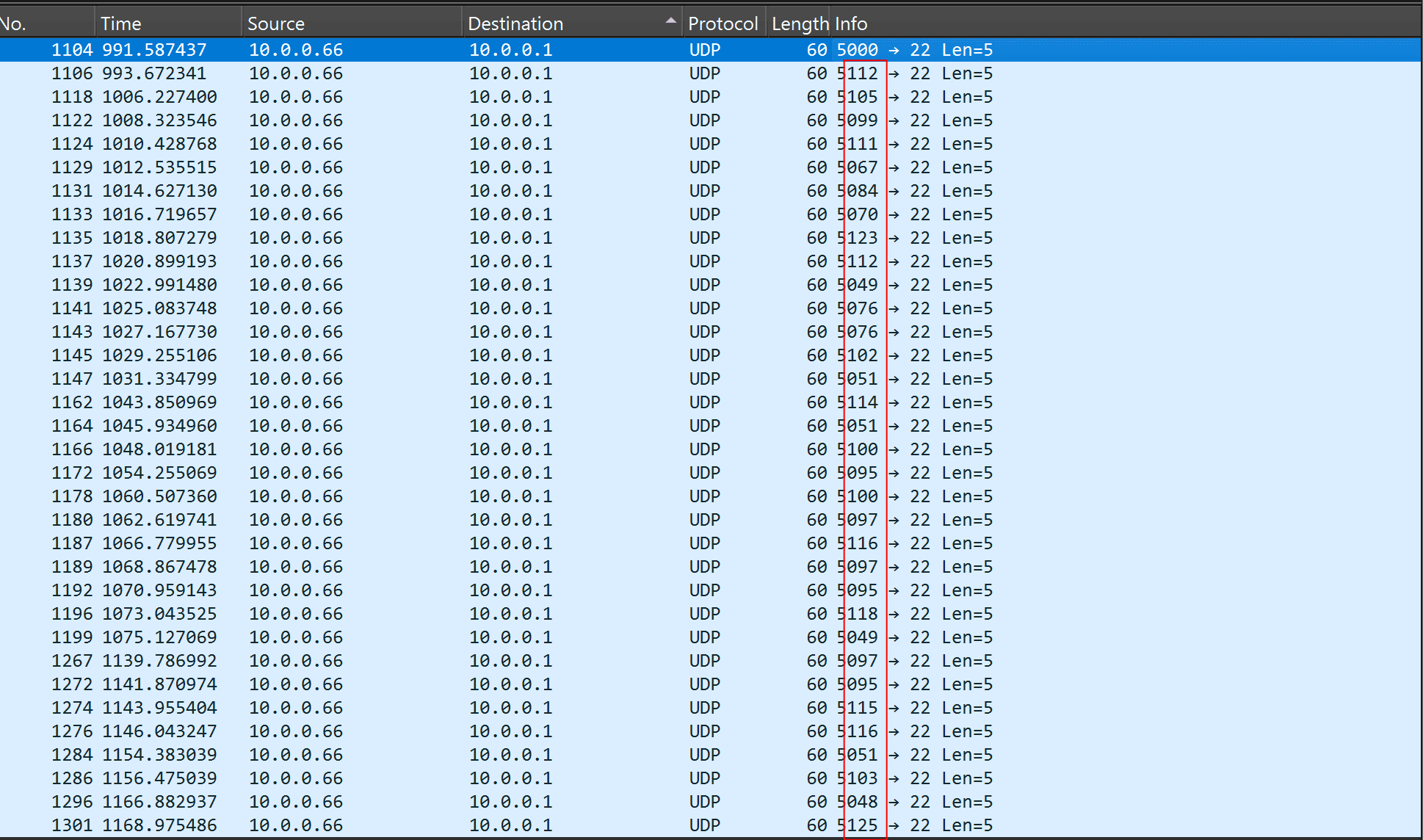
Notice the red rectangle: while every packet payload contains identical dummy text (aaaaa), the Source Ports change on every single packet!
Why Subtract 5000? (The Mathematical Logic)
In standard ASCII, printable characters live between decimal values 32 (' ') and 126 ('~'). For example:
Operating systems reserve ports 0–1023 for privileged system services. To transmit these characters as valid, non-privileged ephemeral UDP ports, the sender simply added an offset of 5000:
4. Decoding the Flag: Manual Converter vs. Automated Script
Subtracting 5000 from each packet between the start (Packet 1104, port 5000) and end sentinels yields 33 decimal byte values:
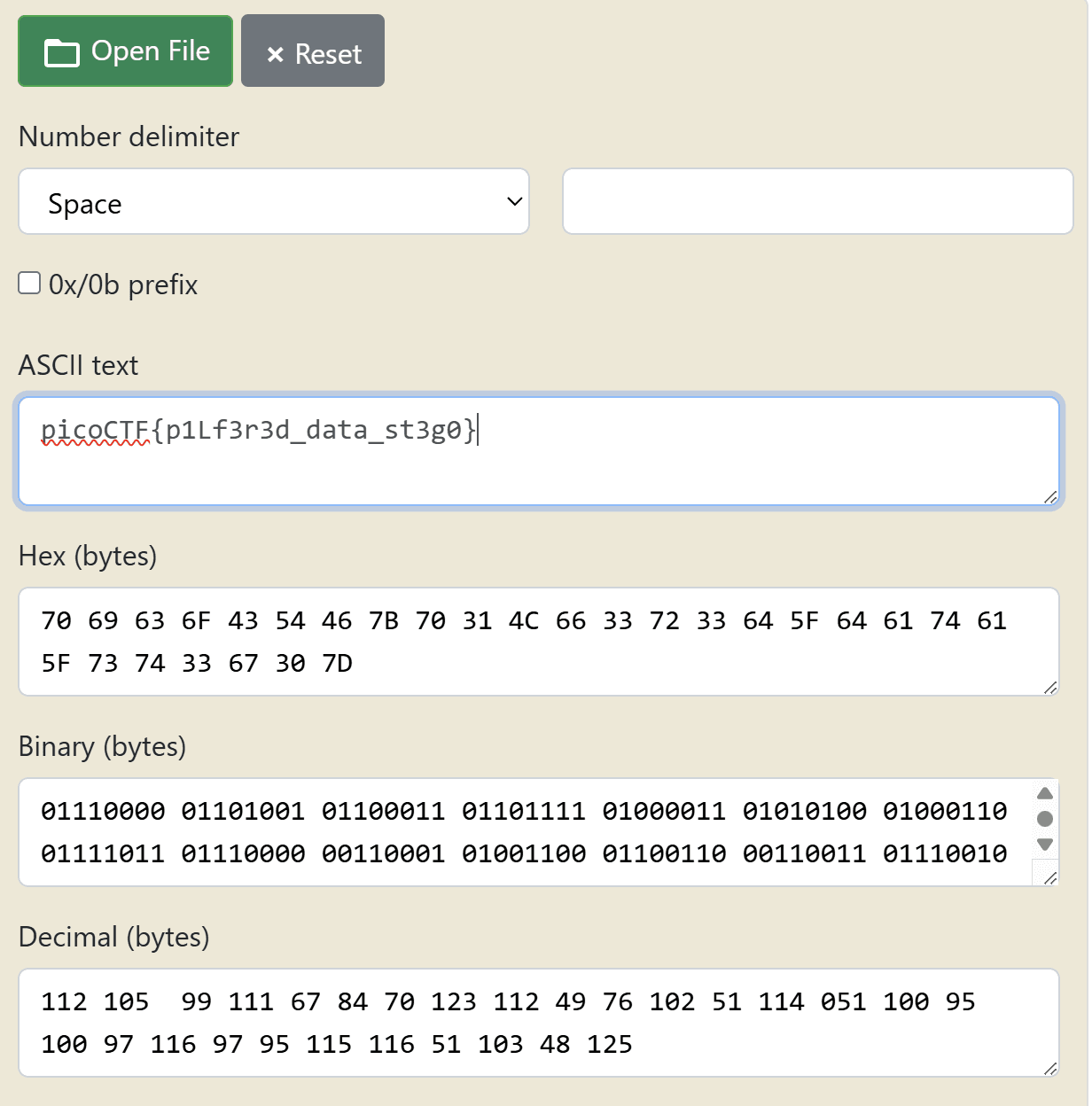
Notice in manual conversion: typing 33 decimal numbers by hand from Wireshark into a web converter is prone to human error! Notice that packets 1141 and 1143 are both port 5076 (5076 - 5000 = 76 = 'L'). If an analyst accidentally skips one identical number or typo-transcribes, the flag submission fails.
That is why in professional digital forensics, we write automated scripts or CLI pipelines to extract the exact bytes without human transcription error.
Complete Packet-by-Packet Decoding Table:
| Pkt # | Source Port | Math (Port - 5000) | ASCII Decimal | Decoded Character |
|---|---|---|---|---|
| 1104 | 5000 | 5000 - 5000 = 0 | — | [START] |
| 1106 | 5112 | 5112 - 5000 | 112 | p |
| 1118 | 5105 | 5105 - 5000 | 105 | i |
| 1122 | 5099 | 5099 - 5000 | 99 | c |
| 1124 | 5111 | 5111 - 5000 | 111 | o |
| 1129 | 5067 | 5067 - 5000 | 67 | C |
| 1131 | 5084 | 5084 - 5000 | 84 | T |
| 1133 | 5070 | 5070 - 5000 | 70 | F |
| 1135 | 5123 | 5123 - 5000 | 123 | { |
| 1137 | 5112 | 5112 - 5000 | 112 | p |
| 1139 | 5049 | 5049 - 5000 | 49 | 1 |
| 1141 | 5076 | 5076 - 5000 | 76 | L |
| 1143 | 5076 | 5076 - 5000 | 76 | L |
| 1145 | 5102 | 5102 - 5000 | 102 | f |
| 1147 | 5051 | 5051 - 5000 | 51 | 3 |
| 1162 | 5114 | 5114 - 5000 | 114 | r |
| 1164 | 5051 | 5051 - 5000 | 51 | 3 |
| 1166 | 5100 | 5100 - 5000 | 100 | d |
| 1172 | 5095 | 5095 - 5000 | 95 | _ |
| 1178 | 5100 | 5100 - 5000 | 100 | d |
| 1180 | 5097 | 5097 - 5000 | 97 | a |
| 1187 | 5116 | 5116 - 5000 | 116 | t |
| 1189 | 5097 | 5097 - 5000 | 97 | a |
| 1192 | 5095 | 5095 - 5000 | 95 | _ |
| 1196 | 5118 | 5118 - 5000 | 118 | v |
| 1199 | 5049 | 5049 - 5000 | 49 | 1 |
| 1267 | 5097 | 5097 - 5000 | 97 | a |
| 1272 | 5095 | 5095 - 5000 | 95 | _ |
| 1274 | 5115 | 5115 - 5000 | 115 | s |
| 1276 | 5116 | 5116 - 5000 | 116 | t |
| 1284 | 5051 | 5051 - 5000 | 51 | 3 |
| 1286 | 5103 | 5103 - 5000 | 103 | g |
| 1296 | 5048 | 5048 - 5000 | 48 | 0 |
| 1301 | 5125 | 5125 - 5000 | 125 | } |
| 1303 | 5000 | 5000 - 5000 = 0 | — | [END] |
5. The Fast Terminal Route (tshark One-Liners)
Why do manual math when you can extract and decode all 33 characters directly in your shell in a single second?
(& "C:\Program Files\Wireshark\tshark.exe" -r .\capture.pcap -Y "udp.dstport == 22 && udp.srcport > 5000" -T fields -e udp.srcport | ForEach-Object { [char]([int]$_ - 5000) }) -join ''tshark -r capture.pcap -Y "udp.dstport == 22 && udp.srcport > 5000" -T fields -e udp.srcport | awk '{printf "%c", $1-5000}'6. Standalone Python PCAP Parser (`solve.py`)
If Wireshark or tshark are not available on your target machine, you can parse the raw binary PCAP structure using Python's standard library (no scapy or external dependencies required):
import struct

# Open raw PCAP file
with open('capture.pcap', 'rb') as f:
    f.read(24)  # Skip 24-byte PCAP global header
    flag = ''
    while True:
        pkt_hdr = f.read(16)
        if len(pkt_hdr) < 16:
            break
        # Unpack PCAP packet header (timestamp, captured length)
        ts_sec, ts_usec, incl_len, orig_len = struct.unpack('<IIII', pkt_hdr)
        pkt_data = f.read(incl_len)

        # Parse Ethernet Header (14 bytes)
        eth_type = struct.unpack('>H', pkt_data[12:14])[0]
        if eth_type == 0x0800:  # IPv4 Protocol
            ip_hdr = pkt_data[14:]
            protocol = ip_hdr[9]
            if protocol == 17:  # UDP Protocol
                udp_hdr = ip_hdr[20:28]
                sport, dport = struct.unpack('>HH', udp_hdr[:4])

                # Filter for packets to destination port 22 with port > 5000
                if dport == 22 and sport > 5000:
                    flag += chr(sport - 5000)

print("Decoded Network Flag:", flag)
7. Forensic Takeaway: Network Steganography in DFIR
| Technique | Detection Filter | Forensic Significance |
|---|---|---|
| Protocol Anomaly | udp.dstport == 22 | SSH communicates exclusively via TCP; UDP traffic on port 22 is an immediate red flag indicating data exfiltration. |
| Header Steganography | udp.srcport - 5000 | DPI (Deep Packet Inspection) checking only payloads sees harmless filler (`aaaaa`), while data is hidden in headers. |
| Transmission Sentinels | udp.stream eq 32 / 60 | Attackers employ explicit start/end markers to synchronize receiving listeners across noisy networks. |
Captured Flag:
picoCTF{p1LLf3r3d_data_v1a_st3g0}
(Decoded meaning: “pilfered data via stego”)